AI calorie counter comparison
Find the food tracker that fits your day.
A photo is one way to start. Compare BiteCheck, MyFitnessPal, YAZIO and Cal AI by how you log meals, plan food and follow your progress.
- 4 apps
- 10 everyday criteria
- Free plan available in BiteCheck
Published by BiteCheck. Reviewed .
Features shown are a selection from the official pages below. Availability can vary by country, language, device and plan. Check current terms before subscribing.
At a glance
Compare your everyday workflow.
Look at the tools you will use for an ordinary meal, then check which plan includes them.
| What matters to you | BiteCheck[1]Flexible logging, with planning in the same app. | MyFitnessPal[2]A food and activity diary with tiered logging tools. | YAZIO[3]Food tracking with fasting timers and a recipe collection. | Cal AI[4]A photo-focused approach to calorie and macro tracking. |
|---|---|---|---|---|
| Photo loggingFrom a picture to a meal entry | AI meal estimates you can review and refine before saving. | Meal Scan on Premium. English and supported device versions required. | AI photo tracking on Pro, with ingredient and quantity adjustments. | Photo-based estimates of calories, protein, carbohydrates and fat. |
| Voice loggingDescribe a meal out loud | Voice meal descriptions, with a Free AI usage allowance. | Voice Log on Premium for iPhone and Android, with English selected. | Voice & Text Food Tracking on iOS; Apple’s feature story lists free access. | Not confirmed in the reviewed sources. |
| AI chatWhat the conversation is designed for | Meal-logging chat for food, ingredients and portion details. | Nutrition Coach on Premium/Premium+; availability depends on platform, language and country. | Meal-logging chat not confirmed in the reviewed sources. | Not confirmed in the reviewed sources. |
| Barcode & textOther ways to enter a meal | Typed descriptions and supported packaged-food barcodes. | Food search and Premium barcode scanning. | Manual entry, barcode lookup and iOS text food tracking. | Barcodes, meal descriptions and custom foods. |
| FastingTimers alongside your food diary | Built-in timers for 16:8, 18:6, 20:4 and OMAD. | Intermittent-fasting tools on Premium. | Built-in fasting timers and flexible schedules. | Not confirmed in the reviewed sources. |
| Status outside the appLock Screen, widgets and notifications | Fasting progress on the iPhone Lock Screen and Dynamic Island, plus ongoing Android notifications. | Home Screen calorie and macro widgets on iPhone and Android. | Meal-logging shortcuts on the iPhone Lock Screen and Dynamic Island. | Not confirmed in the reviewed sources. |
| Recipes & planningSupport around the food diary | AI meal plans, recipes and food inventory. | Recipe tools; Meal Planner is a Premium+ feature. | Recipe collection alongside the food diary. | Add your own foods and recipes. |
| Daily trackingThe context around your meals | Calories and macros, fasting, weight and progress trends. | Food and activity diary, goals and progress. Premium adds fasting tools. | Calorie tracking, fasting timers and fitness-tracker syncing. | Calorie and macro tracking with exercise integrations. |
| PlatformsWhere you can use the app | iPhone and Android. | iPhone, Android and web; some tools are mobile-only. | iPhone and Android. | iPhone and Android. |
| Plans & accessWhat to check before subscribing | Free plan and optional paid subscriptions. Current usage limits are shown in the app. | Free, Premium and Premium+ tiers. Feature limits vary by plan. | Free tier and optional Pro. AI photo tracking requires Pro; voice/text access is listed separately. | Subscription and trial terms are shown in the app or your store. |
BiteCheckFlexible logging, with planning in the same app.
- Photo logging
- AI meal estimates you can review and refine before saving.
- Voice logging
- Voice meal descriptions, with a Free AI usage allowance.
- AI chat
- Meal-logging chat for food, ingredients and portion details.
- Barcode & text
- Typed descriptions and supported packaged-food barcodes.
- Fasting
- Built-in timers for 16:8, 18:6, 20:4 and OMAD.
- Status outside the app
- Fasting progress on the iPhone Lock Screen and Dynamic Island, plus ongoing Android notifications.
- Recipes & planning
- AI meal plans, recipes and food inventory.
- Daily tracking
- Calories and macros, fasting, weight and progress trends.
- Platforms
- iPhone and Android.
- Plans & access
- Free plan and optional paid subscriptions. Current usage limits are shown in the app.
MyFitnessPalA food and activity diary with tiered logging tools.
- Photo logging
- Meal Scan on Premium. English and supported device versions required.
- Voice logging
- Voice Log on Premium for iPhone and Android, with English selected.
- AI chat
- Nutrition Coach on Premium/Premium+; availability depends on platform, language and country.
- Barcode & text
- Food search and Premium barcode scanning.
- Fasting
- Intermittent-fasting tools on Premium.
- Status outside the app
- Home Screen calorie and macro widgets on iPhone and Android.
- Recipes & planning
- Recipe tools; Meal Planner is a Premium+ feature.
- Daily tracking
- Food and activity diary, goals and progress. Premium adds fasting tools.
- Platforms
- iPhone, Android and web; some tools are mobile-only.
- Plans & access
- Free, Premium and Premium+ tiers. Feature limits vary by plan.
YAZIOFood tracking with fasting timers and a recipe collection.
- Photo logging
- AI photo tracking on Pro, with ingredient and quantity adjustments.
- Voice logging
- Voice & Text Food Tracking on iOS; Apple’s feature story lists free access.
- AI chat
- Meal-logging chat not confirmed in the reviewed sources.
- Barcode & text
- Manual entry, barcode lookup and iOS text food tracking.
- Fasting
- Built-in fasting timers and flexible schedules.
- Status outside the app
- Meal-logging shortcuts on the iPhone Lock Screen and Dynamic Island.
- Recipes & planning
- Recipe collection alongside the food diary.
- Daily tracking
- Calorie tracking, fasting timers and fitness-tracker syncing.
- Platforms
- iPhone and Android.
- Plans & access
- Free tier and optional Pro. AI photo tracking requires Pro; voice/text access is listed separately.
Cal AIA photo-focused approach to calorie and macro tracking.
- Photo logging
- Photo-based estimates of calories, protein, carbohydrates and fat.
- Voice logging
- Not confirmed in the reviewed sources.
- AI chat
- Not confirmed in the reviewed sources.
- Barcode & text
- Barcodes, meal descriptions and custom foods.
- Fasting
- Not confirmed in the reviewed sources.
- Status outside the app
- Not confirmed in the reviewed sources.
- Recipes & planning
- Add your own foods and recipes.
- Daily tracking
- Calorie and macro tracking with exercise integrations.
- Platforms
- iPhone and Android.
- Plans & access
- Subscription and trial terms are shown in the app or your store.
“Not confirmed” means the linked sources do not establish support; it does not mean a feature is unavailable. Nutrition values from photos are estimates. This comparison does not rank nutritional accuracy.
A closer look at BiteCheck
One diary. A few ways to get there.
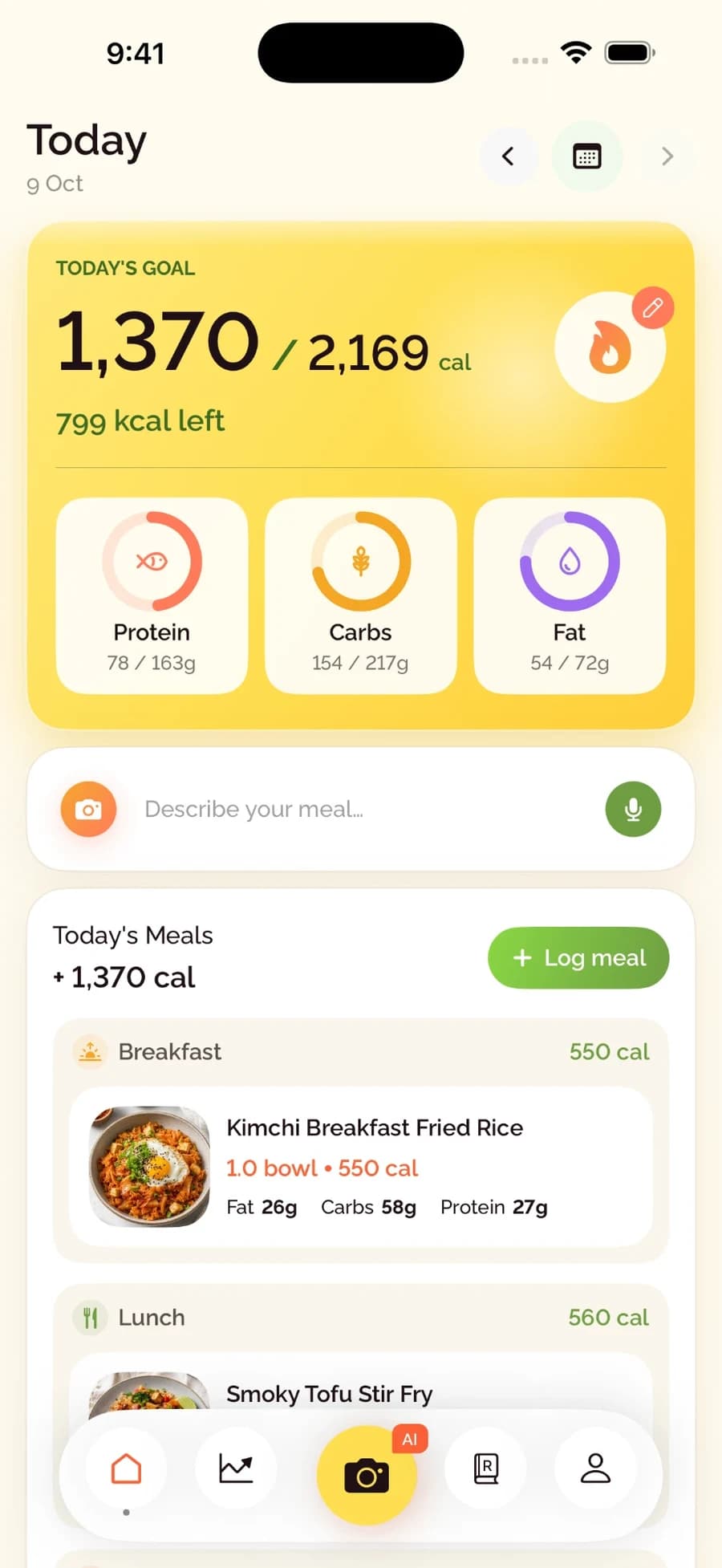
Use the input that suits the meal. Add context, review the estimate and keep your day together.
Photo
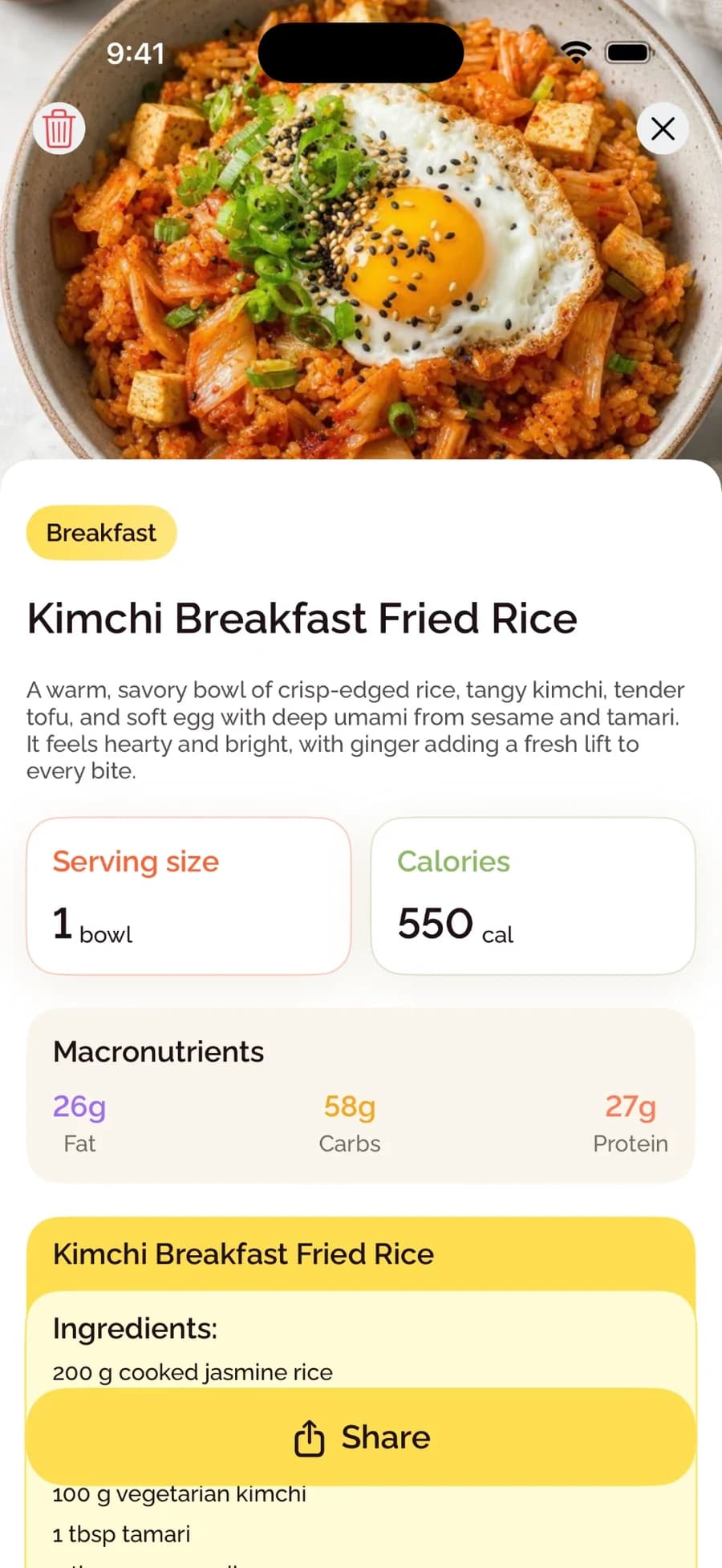
Start with the meal in front of you. Review the foods and estimated portions.
Explore the guideVoice
Describe a homemade dish, its ingredients and the amount you ate.
Explore the guideText & chat
Add the recipe or preparation details that a picture cannot show.
Explore the guideBarcode
Find a supported packaged food, confirm the product and set your serving.
Explore the guideAfter the meal
Bring the rest of your routine into view.
See your meals alongside calorie and macro progress. Explore recipes, build meal plans and keep fasting and weight context in the same app.
See all BiteCheck features- 01
Start with what you know
A photo, a description or a packaged-food barcode gives you a starting point.
- 02
Review before saving
Check the foods and portions. Add details about oil, sauces or the recipe.
- 03
Keep your daily context
Save the meal to your diary and follow your calorie and macro progress.
Before you choose
A few practical questions.
What is the best AI calorie counter app?
The best fit depends on how you prefer to enter meals, review estimates and use the diary afterwards. Compare the logging methods and the plan that includes them. BiteCheck brings photo, voice, text, chat and supported barcode entry together with planning and daily tracking.
Can I use BiteCheck for free?
Yes. BiteCheck has a Free plan with an AI usage allowance, plus optional paid subscriptions. You can describe meals by voice, text or chat and review the estimate before saving. Check the app for current limits and available offers.
Can an app count calories accurately from a photo?
A photo gives an estimate. Hidden ingredients, cooking oil and portion size can change the result. Review the foods and amounts, add details you know, and use package information or measured quantities when appropriate. This comparison does not rank the apps by nutritional accuracy.
Do I need to use a photo for every meal in BiteCheck?
No. You can use a photo for a plated meal, describe a homemade dish by voice or text, continue in chat, or scan a supported packaged-food barcode. Review the resulting meal before adding it to your diary.
Are AI photo tools included in every free plan?
Access differs by app and plan. The linked documentation lists MyFitnessPal Meal Scan as Premium and YAZIO AI photo tracking as Pro. Check current subscription terms in each app or store; offers, supported languages and device requirements can vary.
Check the details
Official sources.
Reviewed October 23, 2026. This page is maintained by DigitMind Technologies LLP, the publisher of BiteCheck.
01BiteCheck
02MyFitnessPal
03YAZIO
04Cal AI
Make room for your routine
Try a different way to keep your food diary.
Explore BiteCheck for iPhone and Android. View current availability and subscription options in your store.