Recipes
Recipes with calories and macros you can log in one tap
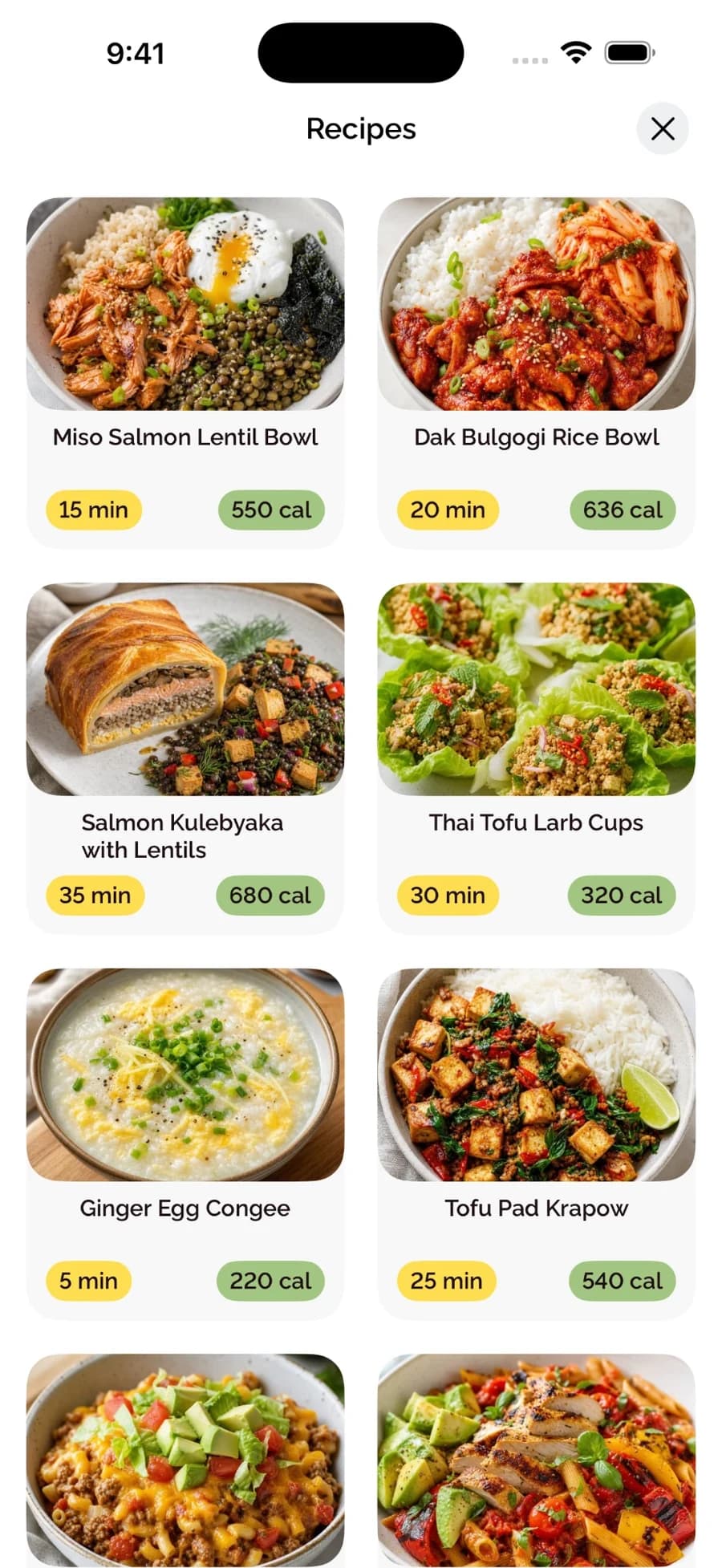
Browse BiteCheck recipes with cooking time, calories, ingredients, directions, and macros, then add them to your meal plan or log them to your day.
What you can do
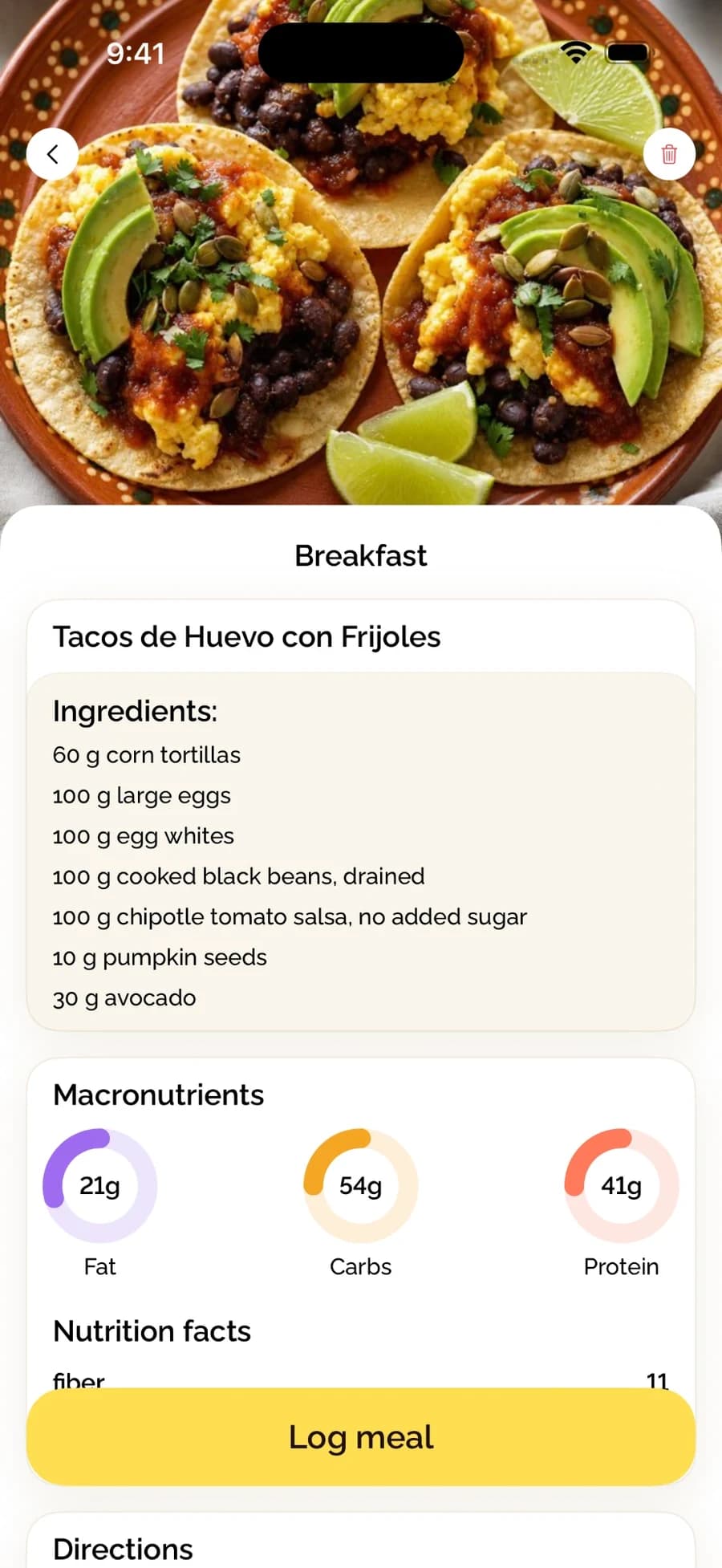
Every BiteCheck recipe shows its cooking time, calories, ingredients with amounts, macros, nutrition facts, and directions. Add a recipe to your meal plan or log it to your food diary with one tap.
Every recipe shows the numbers
Recipes list ingredients in measured amounts, so the calories and macros come from what goes into the dish. Cooking time and calories per serving are visible before you open a recipe.
- Cooking time and calories on every recipe card
- Ingredients with amounts
- Protein, carbohydrates, and fat, plus nutrition facts
- Step-by-step directions
From recipe to food diary
Tap Log meal and the recipe is added to your day with its nutrition, so there is nothing to search or re-enter. Planned meals work the same way.
Matched to your plan
Recommended recipes follow the diet preferences, restrictions, and cuisines from your meal-plan survey, and they fit into a day built around your calorie target.
See BiteCheck in action
See how BiteCheck helps you capture a meal, check the nutrition details, and follow your progress.
Frequently asked questions
Do BiteCheck recipes include calories and macros?
Yes. Each recipe shows calories, protein, carbohydrates, and fat, along with ingredients, nutrition facts, and directions.
Can I log a recipe I cooked?
Yes. Open the recipe and tap Log meal to add it to your food diary with its nutrition.
Keep exploring BiteCheck
See BiteCheck's features, plans, and supported devices, or learn how meal estimates work across photo, voice, text, chat, and barcode logging.